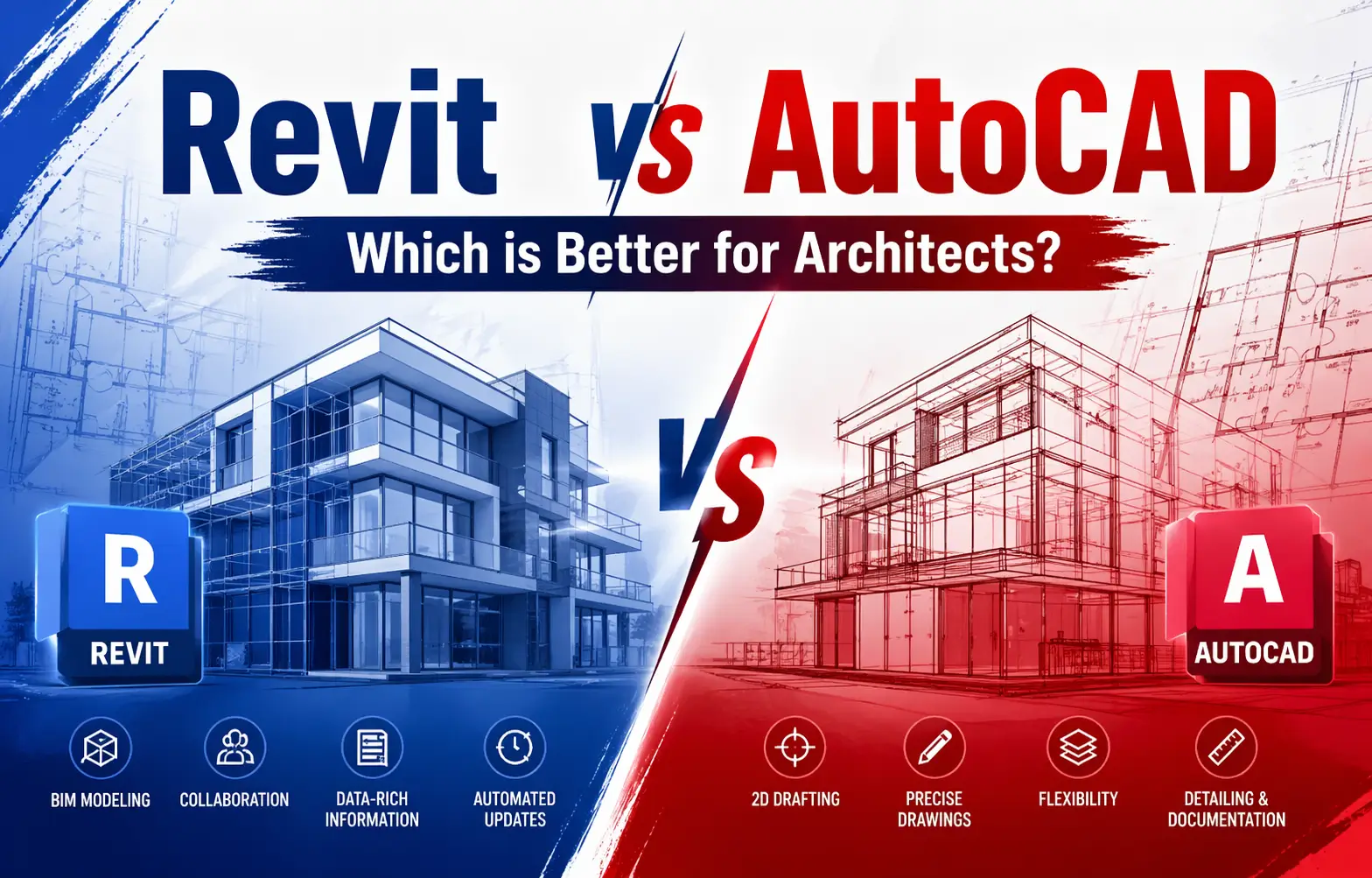
Revit vs AutoCAD: Which is Better for Architects?
You, as an architect or a student of design, have been hearing the two names a thousand times. Two of the most popular tools in the industry are AutoCAD and Revit. Which of them is really more helpful to architects? The answer to this is in the short run – it depends on the need. We can divide it down into simple.
This comparison addresses the major differences between AutoCAD vs Revit, which to use, and how a Revit architecture online course will assist you in starting on the right track.
What is AutoCAD?
AutoCAD software is a computer-aided design (CAD) software developed by Autodesk. Since 1982, it has been in existence. It is used by architects, engineers, and drafters to develop 2D drawings and simple 3D models.
AutoCAD is excellent in creating technical drawings—floor plans, elevations, sections, and site layouts. It provides you with complete control of lines, dimensions, and annotations. It is still in use by most firms in documentation work.
What is Revit?
Autodesk also has Revit, a Building Information Modeling (BIM) software. It is not like AutoCAD. You do not trace lines but create a 3D model of a complete building. That model contains information—wall materials, door sizes, room areas, cost estimates, etc.
As you make a change in the 3D model, all your drawings get updated. That is time-saving. Revit has become the norm in large-scale architectural projects, particularly where two or more teams are collaborating.
The Real Difference Nobody Speaks Of.
The majority of comparisons deal with features. But the actual distinction is as follows: AutoCAD tells you what something looks like. Revit informs you of what something is.
In AutoCAD, when you draw a wall, it is a line.
When you create a wall in Revit, it understands that it is a wall, it has a thickness, material, fire rating, cost, and it interacts with all other elements in the model. That is the essence of the AutoCAD vs. Revit debate.
This is important when a client will alter the floor plan at 11 PM and before a deadline. In AutoCAD, you recreate. The floor plan, the sections, the elevations, and the schedules update simultaneously in Revit. That is no minor difference, it alters the way you are spending your time.
Where AutoCAD Still Takes the Lead
AutoCAD is not leaving, and there really is a reason why.
It’s faster to learn. You can be productive in AutoCAD in weeks, especially when you are a fresher or a student, just getting started. Revit also requires months to familiarize yourself with.
It is more suitable for 2D work. Shop drawings, site plans, detail drawings – AutoCAD can do these in a jiffy. Its drafting tools are developed and very customizable.
Still used by many clients and contractors. A significant percentage of construction companies and small practices continue to work in AutoCAD in the USA. When your client sends you a DWG file, AutoCAD is frequently the most wholesome method of dealing with it.
Less complex projects do not require BIM. The data model of Revit does not always need to be used to the full extent in a residential reorganization or a minor commercial fit-out. AutoCAD does the work in less time.
When individuals pit AutoCAD vs Revit as a contest of winner-takes-all, they are missing the mark. AutoCAD is still more appropriate in certain applications.
Where Revit Has Taken Over
In the case of medium and large projects, the shift is evident. This is why companies are going to Revit.
Coordination across disciplines. The same model is worked on by structural engineers, MEP consultants, and architects. Clashes are not caught in the process, but before construction. That would save actual money.
Automated documentation. Alter a single aspect of the model, and your floor plans, sections, RCPs, and schedules are automatically updated. This in itself would save hours per week on ongoing projects.
Client and government requirements. With the numerous government infrastructure projects and international clients, BIM deliverables are now in demand. In case you are not able to deliver a Revit model, you will not receive those projects.
Data beyond geometry. Revit is employed in energy analysis, cost estimation, construction sequencing, and facility management during post-handover management. AutoCAD is incapable of all that.
That is why the trend in architecture software is towards Revit as the standard, particularly when the firm is engaged in anything bigger than a small residential building.
Revit vs AutoCAD: Which is Better for Architects?
The two tools are used in different ways. The kind of work you do, coupled with the stage you are at in work, determines the right architecture software you should have.
Use AutoCAD If…
- You do small-scale or residential work.
- Your job entails primarily 2D drafting and documentation.
- You are new and would prefer a more basic learning curve.
- The client or your company is in need of AutoCAD files.
Use Revit If…
- You are involved in commercial, institutional, or infrastructure projects on a large scale.
- You will have to work with the engineers, MEPs, and contractors.
- Your company has BIM deliveries or BIM requirements.
- You are interested in future-proofing skills in the industry.
AutoCAD vs Revit: Salary and Career Effect
Career-wise, it is a good idea to be versed in both tools. However, of the two that you had to choose to devote your time to, Revit has a higher potential for career growth at the moment. BIM deliverables are required in most of the international projects and government projects. Revit is at the center of that.
With that said, AutoCAD is not disappearing. It is still used by many companies in India and smaller studios in their day-to-day activities. Being familiar with AutoCAD vs. Revit—and being capable of using either—will make you more marketable.
Students in the field (or those venturing into it) are better off studying Revit at an early age, with a Revit architecture online course providing a competitive advantage. There are still a lot of graduates who are familiar only with AutoCAD. There are two more on you, should you know Revit.
Is It Possible to use both AutoCAD and Revit?
Yes, and lots of companies do. Revit and AutoCAD are compatible. It is possible to convert AutoCAD drawings into a Revit project as a reference or starting point. This is typical in a situation where old AutoCAD files are used in the initiation of a project, which requires conversion into a BIM model.
Companies frequently have AutoCAD experts to do the documentation and Revit to do the modeling and coordination. Knowing the two tools is more valuable in the workplace.
What architecture software do you learn first?
AutoCAD is usually simpler to learn initially, especially when you are a novice. It will teach you the fundamentals of drafting, scale, layers, and dimensions. Revit is easier to learn once you get those concepts.
However, with some design experience or at mid-career, you can directly jump to Revit. There has been a shift in the architecture software landscape towards BIM. Companies, which previously operated only with AutoCAD, are switching.
An excellent Revit architecture online course will normally commence on a clean slate; therefore, you do not require previous Revit knowledge. All you need is the simplest knowledge of architectural drawings.
Conclusion
The future of the industry is in Revit. A good deal of the industry remains in AutoCAD. Being familiar with both will make you a better architect, a more cooperative collaborator, and a more appealing job applicant.
In the meantime, make it Revit. The learning curve is real, but so is the payoff. A Revit architecture course online benefits those who can get you to a functional level within 3 months. It will take another 6 months of actual project work to develop functional confidence.
It is the architects who will be able to study something today that will be leading a project in five years to come. Those who do not will be left doing redlines and redraws as everyone else constructs smarter things.
Begin with the fundamentals. Complete practical projects. And continue to develop your skills—the architecture software will continue to play a more and more central role in how we design and construct.
Related Blog: Revit MEP vs Revit Architecture: What’s the Best Fit for You?

You may also like